This blog is based on Gavin Stones amazing work on gavsto.com. Gavin is a good friend of mine and he helps out our community a lot. As before I worked with his glance cards within IT-Glue that make documentation prettier.
When he showed me how he used the Glance cards to create a stack overview I loved the idea and figured I would make the same for Autotask users, unfortunately I haven’t been able to stick a lot of time into this as other stuff is taking priority. I figured I would share the rough draft and have the community create it into something even better. 🙂
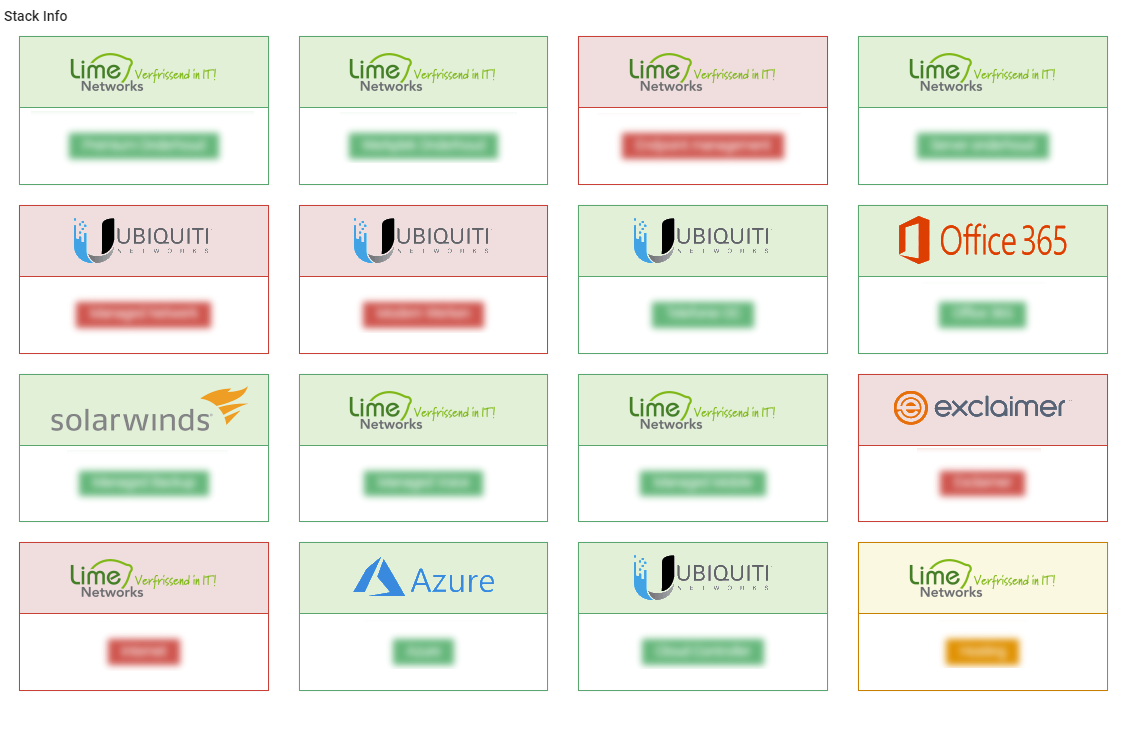
All you have to do for this version is to fill out the services list variable with the name of the services inside of your Autotask PSA. It will then create a glance card to show if its active or not. To show how this could look in your PSA I’ve included a screenshot, with some contract names blocked out:
 The script
So like I said, it’s a little bit rough on the edges and I haven’t had time to perfect it. Feel free to change it to your own needs of course. Our internal version focusses more on different contract types, services, etc so I cannot share that. 🙂
########################## Autotask ############################
$ATAPICODE = "AutotaskAPIIntrgrationcode"
$ATCreds = get-credential
########################## Autotask ############################

########################## IT-Glue ############################
$APIKEy = "ITGLUEAPIKEY"
$APIEndpoint = "https://api.eu.itglue.com"
$FlexAssetName = "Stack overview"
$Description = "A network one-page document that shows the configured stack"
########################## IT-Glue ############################
$LogoURL = "https://google.com/logo.png"
$ServicesList = "Office 365", "Microsoft 365", "Online Backup", "24/7 support", "E-mail filtering"

#Grabbing ITGlue Module and installing.
If (Get-Module -ListAvailable -Name "ITGlueAPI") {
Import-module ITGlueAPI
}
Else {
Install-Module ITGlueAPI -Force
Import-Module ITGlueAPI
}
#Settings IT-Glue logon information
Add-ITGlueBaseURI -base_uri $APIEndpoint
Add-ITGlueAPIKey $APIKEy

#Grabbing ITGlue Module and installing.
If (Get-Module -ListAvailable -Name "AutotaskAPI") {
Import-module AutotaskAPI
}
Else {
Install-Module AutotaskAPI -Force
Import-Module AutotaskAPI
}
#Settings IT-Glue logon information
add-Autotaskapiauth -ApiIntegrationcode $ATAPICode -credentials $ATcreds

write-host "Checking if Flexible Asset exists in IT-Glue." -foregroundColor green
$FilterID = (Get-ITGlueFlexibleAssetTypes -filter_name $FlexAssetName).data
if (!$FilterID) {
write-host "Does not exist, creating new." -foregroundColor green
$NewFlexAssetData =
@{
type = 'flexible-asset-types'
attributes = @{
name = $FlexAssetName
icon = 'sitemap'
description = $description
}
relationships = @{
"flexible-asset-fields" = @{
data = @(
@{
type = "flexible_asset_fields"
attributes = @{
order = 1
name = "Stack Info"
kind = "Textbox"
required = $true
"show-in-list" = $true
"use-for-title" = $true
}
}
)
}
}
}
New-ITGlueFlexibleAssetTypes -Data $NewFlexAssetData
$FilterID = (Get-ITGlueFlexibleAssetTypes -filter_name $FlexAssetName).data
}

function New-BootstrapSinglePanel {
[CmdletBinding()]
param (
[Parameter(Mandatory)]
 [ValidateSet('active', 'success', 'info', 'warning', 'danger', 'blank')]
[string]$PanelShading,

        [Parameter(Mandatory)]
        [string]$PanelTitle,

        [Parameter(Mandatory)]
        [string]$PanelContent,

        [switch]$ContentAsBadge,

        [string]$PanelAdditionalDetail,

        [Parameter(Mandatory)]
        [int]$PanelSize = 3
    )

    if ($PanelShading -ne 'Blank') {
        $PanelStart = "<div class=`"col-sm-$PanelSize`"><div class=`"panel panel-$PanelShading`">"
    }
    else {
        $PanelStart = "<div class=`"col-sm-$PanelSize`"><div class=`"panel`">"
    }

    $PanelTitle = "<div class=`"panel-heading`"><h3 class=`"panel-title text-center`">$PanelTitle</h3>"


    if ($PSBoundParameters.ContainsKey('ContentAsBadge')) {
        $PanelContent = "<div class=`"panel-body text-center`"><h4><span class=`"label label-$PanelShading`">$PanelContent</span></h4>$PanelAdditionalDetail"
    }
    else {
        $PanelContent = "<div class=`"panel-body text-center`"><h4>$PanelContent</h4>$PanelAdditionalDetail"
    }
    $PanelEnd = ""
    $FinalPanelHTML = "{0}{1}{2}{3}" -f $PanelStart, $PanelTitle, $PanelContent, $PanelEnd
    return $FinalPanelHTML

}

$AllActiveClients = Get-AutotaskAPIResource -Resource Companies -SimpleSearch 'isactive eq true' | Where-Object { $_.companytype -eq 1 }
$allContracts = Get-AutotaskAPIResource -Resource Contracts -SimpleSearch "contracttype eq 7"
$AllContractservices = Get-AutotaskAPIResource -Resource ContractServices -SimpleSearch "id noteq 1"
$AllServicesNames = Get-AutotaskAPIResource -Resource services -SimpleSearch "isActive eq true"

$ATInfo = foreach ($ActiveClient in $AllActiveClients) {
    write-host "Working on client $($ActiveClient.companyname)"
$currentContracts = $allContracts | Where-Object { $_.Companyid -eq $ActiveClient.id -and $_.status -eq 1 }
    $services = foreach ($Contract in $currentContracts) {
$AllContractservices | where-object { $_.contractid -eq $Contract.id } | ForEach-Object {
$serviceid = $_.ServiceID
$AllServicesNames | Where-Object { $\_.id -eq $serviceid }
}
}

    [PSCustomObject]@{
        ClientName   = $ActiveClient.companyName
        ClientID     = $ActiveClient.id
        ClientDomain = $ActiveClient.webAddress
        Services     = $services.name
        Contracts    = $currentContracts.Contractname
    }

}

foreach ($Clientinfo in $ATInfo) {
    $Org = (Get-ITGlueOrganizations -filter_name $Clientinfo.ClientName).data.id | select-object -last 1
    $HTML = foreach ($Service in $ServicesList) {
        if ($Clientinfo.Services -like "_$($service)_") {
New-BootstrapSinglePanel -PanelShading "success" -PanelTitle "<img src='$($LogoURL)'" -PanelContent $($service) -ContentAsBadge -PanelSize 3
}
else {
New-BootstrapSinglePanel -PanelShading "danger" -PanelTitle "<img src='$($LogoURL)'" -PanelContent $($service) -ContentAsBadge -PanelSize 3

        }
    }

    $FlexAssetBody =
    @{
        type       = 'flexible-assets'
        attributes = @{
            traits = @{
                'stack-info' = $HTML
            }
        }
    }

    $ExistingFlexAsset = (Get-ITGlueFlexibleAssets -filter_flexible_asset_type_id $($filterID.ID) -filter_organization_id $org).data | select-object -last 1
    #If the Asset does not exist, we edit the body to be in the form of a new asset, if not, we just upload.
    if (!$ExistingFlexAsset) {
        $FlexAssetBody.attributes.add('organization-id', $org)
        $FlexAssetBody.attributes.add('flexible-asset-type-id', $($filterID.ID))
        write-host "                      Uploading $($Clientinfo.clientname) to $org" -ForegroundColor Green
        New-ITGlueFlexibleAssets -data $FlexAssetBody
    }
    else {
        write-host "                      Updating  $($Clientinfo.clientname) to $org"  -ForegroundColor Green
        $ExistingFlexAsset = $ExistingFlexAsset | select-object -last 1
        Set-ITGlueFlexibleAssets -id $ExistingFlexAsset.id -data $FlexAssetBody
    }

}
As always, Happy PowerShelling 🙂