I’ve recently had a small discussion with a friend that is using Teams as his primary collaboration platform, just like our MSP does internally. He told me that the only thing that he is really missing is a backup feature of Teams chats. He often deletes entire teams or channels after a project finishes but his backup product only has the ability to backup files and folders inside of the Teams Sharepoint site.
So to help him out I’ve written the script below, the script goes over all the teams in your tenant, and backups the chat per-channel. It makes a HTML file in a reverse read order (So the top most message is the most recent one).
Permissions
As with most of my Office365 scripts; you’ll need the Secure Application Model with some added permissions. For the permissions, perform the following:
- Go to the Azure Portal.
- Click on Azure Active Directory, now click on “App Registrations”.
- Find your Secure App Model application. You can search based on the ApplicationID.
- Go to “API Permissions” and click Add a permission.
- Choose “Microsoft Graph” and “Application permission”.
- Search for “Channel” and click on “Channel.Basic.ReadAll and “ChannelMessage.Read.All”. Click on add permission.
- Do the same for “Delegate Permissions”.
- Finally, click on “Grant Admin Consent for Company Name.
The Script
So its important to note that the Graph API is pretty limited when it comes to reading Teams messages; Getting channel messages are limited to 5 requests per second. In my experience this limit is even lower at times. If you’re getting rate limitation errors its best to increase the timeout a bit. 🙂
The script writes HTML files for each backup, it does not use PsWriteHTML like normally because that doesn’t like to have HTML inside of the tables, and most teams messages are HTML.
######### Secrets #########
$ApplicationId = 'YourAppID'
$ApplicationSecret = 'YourAppSecret' | ConvertTo-SecureString -Force -AsPlainText
$TenantIDToBackup = 'TenantToBackup.onmicrosoft.com'
$RefreshToken = 'VeryLongRefreshToken.'
######## Secrets #########
$credential = New-Object System.Management.Automation.PSCredential($ApplicationId, $ApplicationSecret)
$graphToken = New-PartnerAccessToken -ApplicationId $ApplicationId -Credential $credential -RefreshToken $refreshToken -Scopes 'https://graph.microsoft.com/.default' -ServicePrincipal -Tenant $TenantIDToBackup
$Header = @{
    Authorization = "Bearer $($graphToken.AccessToken)"
}
$BaseURI = "https://graph.microsoft.com/beta"
$AllMicrosoftTeams = (Invoke-RestMethod -Uri  "$($BaseURI)/groups?`$filter=resourceProvisioningOptions/Any(x:x eq 'Team')" -Headers $Header -Method Get -ContentType "application/json").value

$head = @"

<script>
function myFunction() {
    const filter = document.querySelector('#myInput').value.toUpperCase();
    const trs = document.querySelectorAll('table tr:not(.header)');
    trs.forEach(tr => tr.style.display = [...tr.children].find(td => td.innerHTML.toUpperCase().includes(filter)) ? '' : 'none');
  }</script>
<Title>LNPP - Lime Networks Partner Portal</Title>
<style>
body { background-color:#E5E4E2;
      font-family:Monospace;
      font-size:10pt; }
td, th { border:0px solid black;
        border-collapse:collapse;
        white-space:pre; }
th { color:white;
    background-color:black; }
table, tr, td, th {
     padding: 2px;
     margin: 0px;
     white-space:pre; }
tr:nth-child(odd) {background-color: lightgray}
table { width:95%;margin-left:5px; margin-bottom:20px; }
h2 {
font-family:Tahoma;
color:#6D7B8D;
}
.footer
{ color:green;
 margin-left:10px;
 font-family:Tahoma;
 font-size:8pt;
 font-style:italic;
}
#myInput {
  background-image: url('https://www.w3schools.com/css/searchicon.png'); /* Add a search icon to input */
  background-position: 10px 12px; /* Position the search icon */
  background-repeat: no-repeat; /* Do not repeat the icon image */
  width: 50%; /* Full-width */
  font-size: 16px; /* Increase font-size */
  padding: 12px 20px 12px 40px; /* Add some padding */
  border: 1px solid #ddd; /* Add a grey border */
  margin-bottom: 12px; /* Add some space below the input */
}
</style>
"@

foreach ($Team in $AllMicrosoftTeams) {
    $TeamsChannels = (Invoke-RestMethod -Uri "$($BaseURI)/teams/$($Team.id)/channels" -Headers $Header -Method Get -ContentType "application/json").value
    foreach ($Channel in $TeamsChannels) {
$i = 100

        $MessagesRaw = do {
            if (!$MessageURI) { $MessageURI = "$($BaseURI)/teams/$($Team.id)/channels/$($channel.id)/messages?`$top=100" }
            $MessagePage = (Invoke-RestMethod -Uri $MessageURI -Headers $Header -Method Get -ContentType "application/json" -ErrorAction SilentlyContinue)
            $MessageURI = $Messagepage.'@odata.nextlink'
            $Messagepage.value
            write-host "Got $i messages for $($team.displayName) / $($channel.Displayname)"
            $i = $i + 100
            start-sleep 10
        } while ($Messagepage.'@OData.nextlink')
        $MessagesHTML = $Messages | Select-Object  @{label = 'Created on'; expression = { [datetime]$_.CreatedDateTime } },
        @{label = 'From'; expression = { $_.from.user.displayname } },
        @{label = 'Message'; expression = { $_.body.content } },
        @{label = 'Message URL'; expression = { $_.body.weburl } } | ConvertTo-Html -Head $head
        [System.Web.HttpUtility]::HtmlDecode($MessagesHTML) | out-file "C:\temp\$($Team.displayName) - $($Channel.displayName).html"

    }

}
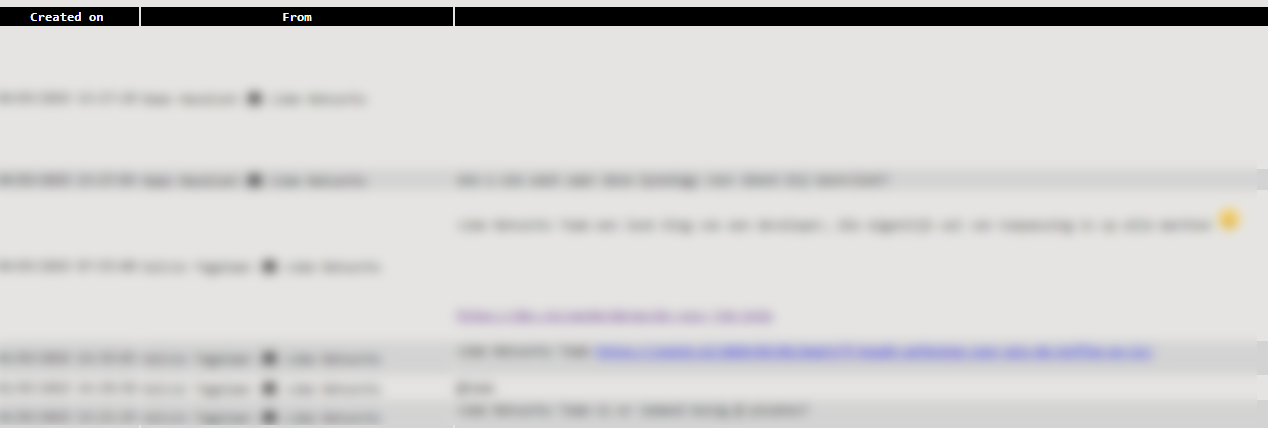
So how does this look? Well; if all goes well the HTML files looks something like this;
 And that’s it! as always, Happy PowerShelling!